Viira: GTD® In Action



Speed and ease of use is critical for any productivity system, and Getting Things Done® is no different. In a dynamic, rapidly changing environment being able to quickly and effectively leverage your trusted GTD system can be critical.
You can quickly navigate between Viira's 4 main views by using the following shortcuts:
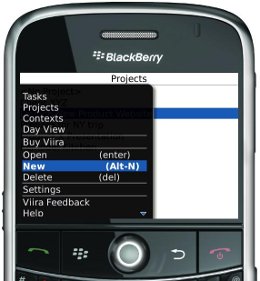
- ALT+C opens Contexts View.
- ALT+P opens Projects View.
- ALT+D opens Day View.
- ALT+T opens Tasks View.
- ALT+I opens the In-Basket.
The most frequently-used actions are also accessible through convenient shortcuts throughout the application
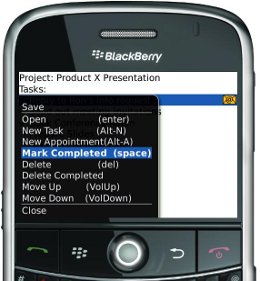
- ALT-N creates a new task. In Projects View and Contexts View ALT-N creates a new project or context, respectively.
- ALT-A creates a new appointment.
- VolumeDown moves a task or an appointment one position down in the task list for a given project, context and day as well as in Tasks View.
- VolumeUp moves a task or an appointment one position up the list of tasks. Lets you assign Next Actions quickly.
- SPACE toggles a task or an appointments as complete/not complete.
- DELETE prompts for the deletion of the item you have selected.
- ENTER opens the selected item.
Day View Shortcuts
Viira also offers a few shortcuts that make revewing your day's commitments in Viira's Day View even faster. The shortcuts are on consecutive keys on your keyboard for faster and more intuitive navigation.
- ALT-J Navigates to the Previous Day in Day View.
- ALT-K Navigates to Today.
- ALT-L Opens the Next Day.
|
|